




Record your next podcast on Discord
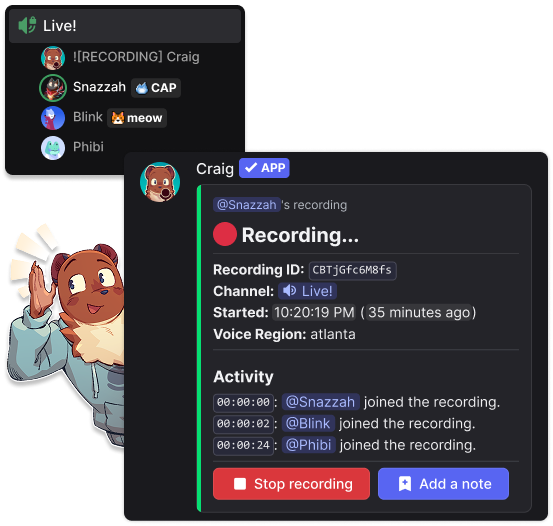
Craig is a multi-track voice channel recording Discord bot. Record voice channels with a separate audio track for each speaking user, so you can independently level, cut, or otherwise edit each person's audio.
Reasonable Limits
Record for up to 6 hours, and keep them for 7 days. Limits stay the same no matter how many people are speaking, what bitrate you choose, or whether other bots are in the channel.
Multiple Formats Available
Download your recording as FLAC or MPEG-4 AAC, or open it directly as an Audacity project or Adobe Audition session. New to audio formats? Start with Yahweasel’s primer on digital audio.
Auto-UploadAvailable to Supporters
Supporters can automatically upload finished recordings to Google Drive, Microsoft OneDrive, and Dropbox.
Learn moreTranscriptionsAvailable to Tier 3 Supporters
Tier 3 Supporters can get transcripts in WebVTT, SRT, or plain text. Transcripts can also be included when recordings are automatically uploaded.
Learn moreQuality Audio
No matter how long your recording is, no matter how many speakers are recorded, and even if speakers join late, every audio file delivered will be in perfect sync with each other.
Reliable
Craig should be as reliable as Discord voice servers allows, and handles the hiccups well. If you want extra backup, you can add secondary instances like Giarc.
Supporters can use more Craig instances (such as Alistair).+4,500,000
recordings created in 500,000 servers
and counting since 2017.Used by Discord communities of every size











What people are saying
Get started with Craig!
Add Craig to your server and record anything in Discord voice channels and stage channels.